


See it running
The real interface
Every frame below is the iPhone client, photographed off a simulator. The interface is the real app, drawn by the real widgets. The machine names, the folders and the terminal output in them are invented, so nothing of mine is in the pictures.
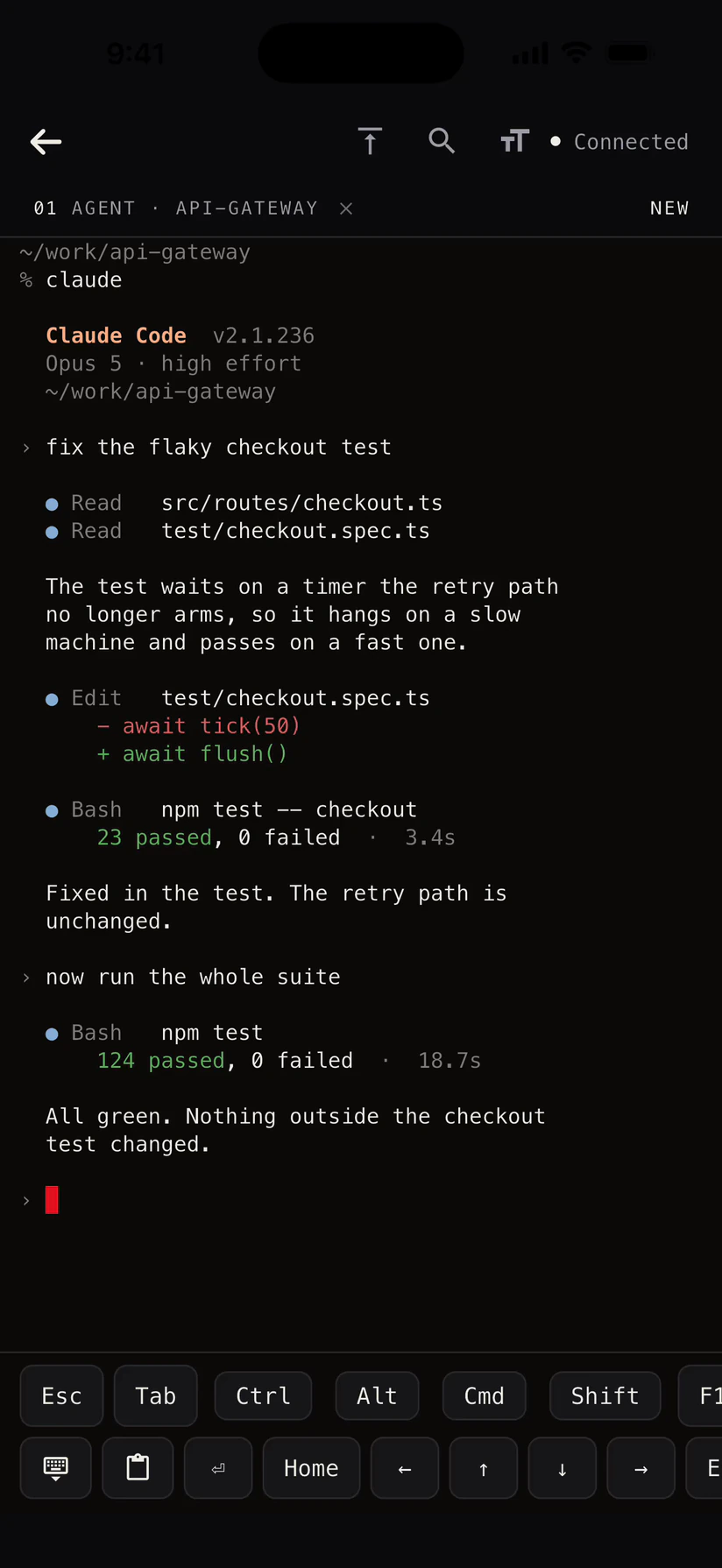
A coding agent, running on the Mac
A real login shell on the Mac, driven from the phone. Several at once, each with a name.
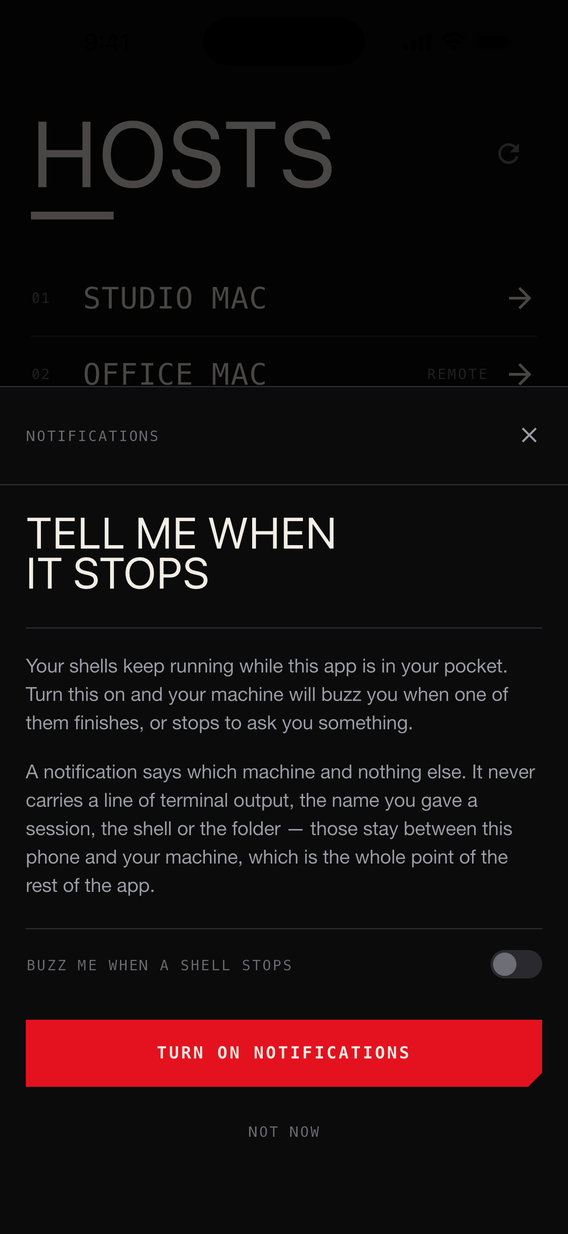
It buzzes you when the run stops
Turn it on once. Then put the phone away.
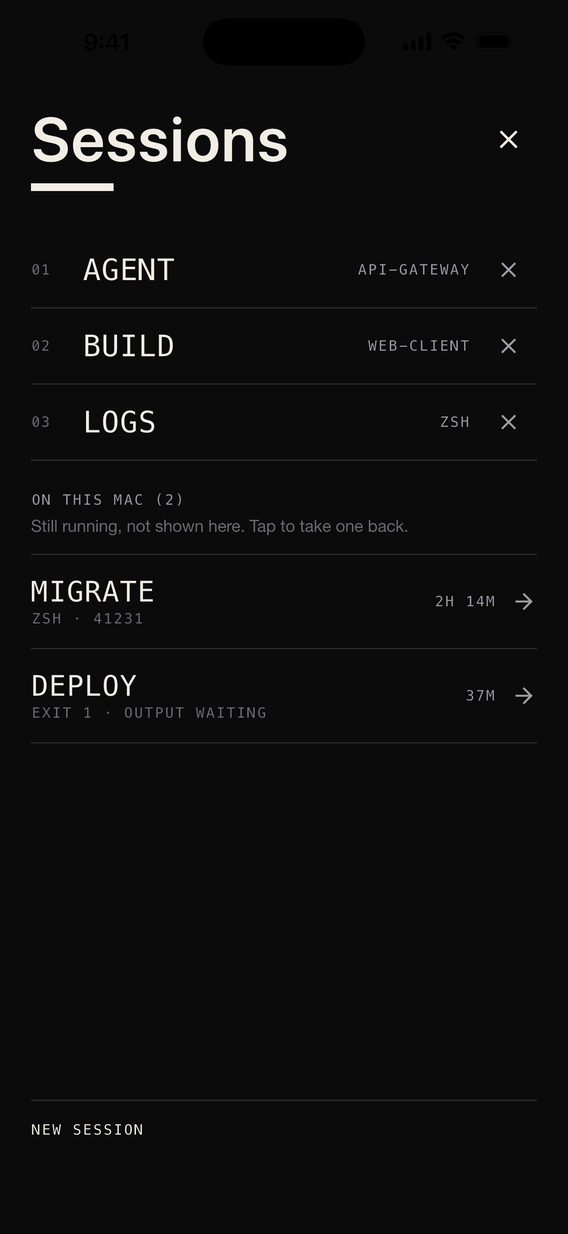
The shell is still up, hours later
Two shells running on the Mac with nothing attached to them.
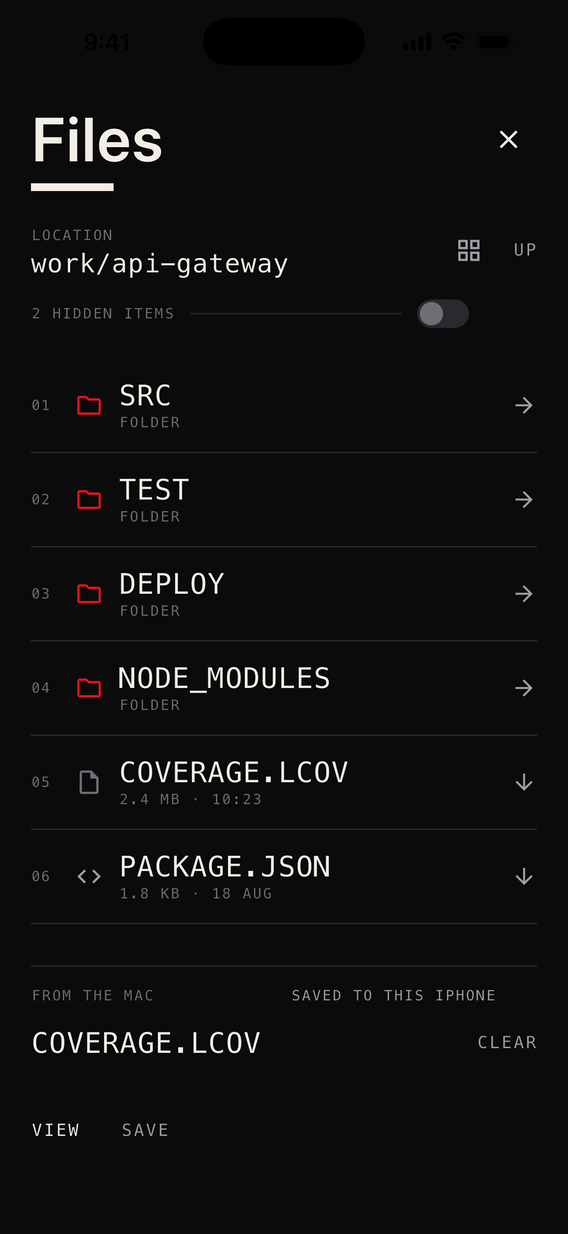
The Mac's files, both directions
Browse the Mac, pull a file down, push one back.
What it does
Six things · all shipping
- [01]
It buzzes you when the run stops
The Mac watches every shell for three things: the terminal bell, the shell exiting, or 45 seconds of quiet after real output. Any one of them pushes a notification to the phone. Start an agent, put the phone away, get told when it stops.
- [02]
A real login shell
Your own login shell on the Mac, not a picture of one. Open several at once and give each one a name.
- [03]
The shell outlives the phone
Shells are keyed to your phone's identity key, not to a socket. Background the app, lose the network, force-quit it — the shell keeps running on the Mac. Output from while you were gone is buffered, 256 KiB of it, and replayed the moment you attach again.
- [04]
The screen, the files, the sound
Pointer and keyboard on the Mac's display — trackpad, direct touch and scroll modes, across more than one display. Files in both directions, the Mac's own system audio, and a shared clipboard, all on the same connection.
Routing the Mac's audio to the phone mutes the Mac's own speakers for as long as it runs.
- [05]
Every key an iPhone keyboard lacks
Esc, Tab, Ctrl, Alt, Cmd, Shift, the arrows, Home, End, PgUp, PgDn, Del, F1 to F12, and the combinations you type without thinking: ^C ^D ^Z ^L ^R ^A ^E ^K ^U ^W. A modifier stays armed until the next key; double-tap and it locks.
- [06]
Search ten thousand lines of scrollback
Find in the scrollback, with every hit highlighted where it sits. Jump back to the top. Change the text size. The buffer keeps 10,000 lines.





How it works
Four steps
- 01
Install both
The host on the Mac you want to reach, the client on your phone.
- 02
Pair them once
On your own Wi-Fi, or by scanning the code the Mac shows. Either way the Mac asks you to approve the phone, by hand.
- 03
Open a shell from anywhere
A real login shell on the Mac, over a link only your two devices can read. On your own network out of the box; further afield once you have put up the relay.
- 04
Put your phone away
Your agent keeps working on the Mac. When it finishes, or stops to ask you something, the Mac buzzes your phone.
Against what you use now
checked 16 aug 2026
TeamViewer, AnyDesk, Splashtop, Chrome Remote Desktop, Jump Desktop: for talking a relative through a printer driver, any of them beats this. Or you already have Tailscale, SSH and a tmux session, which is the honest alternative. Two things separate both from this — where your session physically goes, and what that forces onto the bill.


We run a relay too, and it carries the introduction — then the session as well, but only on the small share of networks stubborn enough to refuse a direct path. You can run that relay yourself.
Which is why they bill by the month, and it is arithmetic rather than greed. A vendor whose routers carry your pixels pays for that every month you keep using it, so your payment has to arrive every month too. Ours carry an introduction, so the cost does not recur and neither does the price: $59, once — and nothing is charged today, there is no checkout yet.
The register
Every vendor figure was read off that vendor’s own page.
| Product | What carries your session | What you pay | A shell on your Mac |
|---|---|---|---|
| TeamViewer | What carries your sessionTheir router network, in the 30% that is not direct. | What you pay$24.90 a month, one user. The free tier is personal use only. | A shell on your MacRemote Terminal, on Premium and up. Windows hosts only. |
| AnyDesk | What carries your sessionTheir public network, unless a direct path is on and allowed. | What you payA subscription — their site would not show us a price. | A shell on your MacNone. |
| Splashtop | What carries your sessionPeer to peer on your own network. Anywhere else, their relay. | What you pay$6 a month for Solo, billed annually. | A shell on your MacNot listed on the Solo plan. |
| Chrome Remote Desktop | What carries your sessionDirect, STUN or TURN — and TURN is Google’s data centres. | What you payNothing. There is no paid tier. | A shell on your MacNone. The screen is the whole product. |
| Jump Desktop | What carries your sessionDirect first, then Jump’s relay servers. | What you pay$14.99 once, on the App Store. | A shell on your MacSSH tunnelling. No terminal in the app. |
| Tailscale + SSH | What carries your sessionYour own two machines, and yours to keep working. | What you payNothing, plus an afternoon. | A shell on your MacYes, and nothing else. Nothing tells you the run stopped. |
| Hardlink | What carries your sessionYour own two devices, encrypted end to end. Our relay only where a direct path is refused. | What you pay$59, once. Nothing is charged today. | A shell on your MacYes. Several at once, and they survive a disconnect. |
Security
Five claims
This is the part of Hardlink worth checking, so here is enough to check it. The whole model is written down in the source, weak parts included.
What it is built from
- Generated password12 symbols · 60 bits
- Password verifierArgon2id · 64 MiB · 3 passes
- Handshake proofHMAC-SHA256, both ways
- Identity keyX25519, pinned on the phone
- Session sealXChaCha20-Poly1305
- Wrong passwords5 per key · 50 total · 15 min
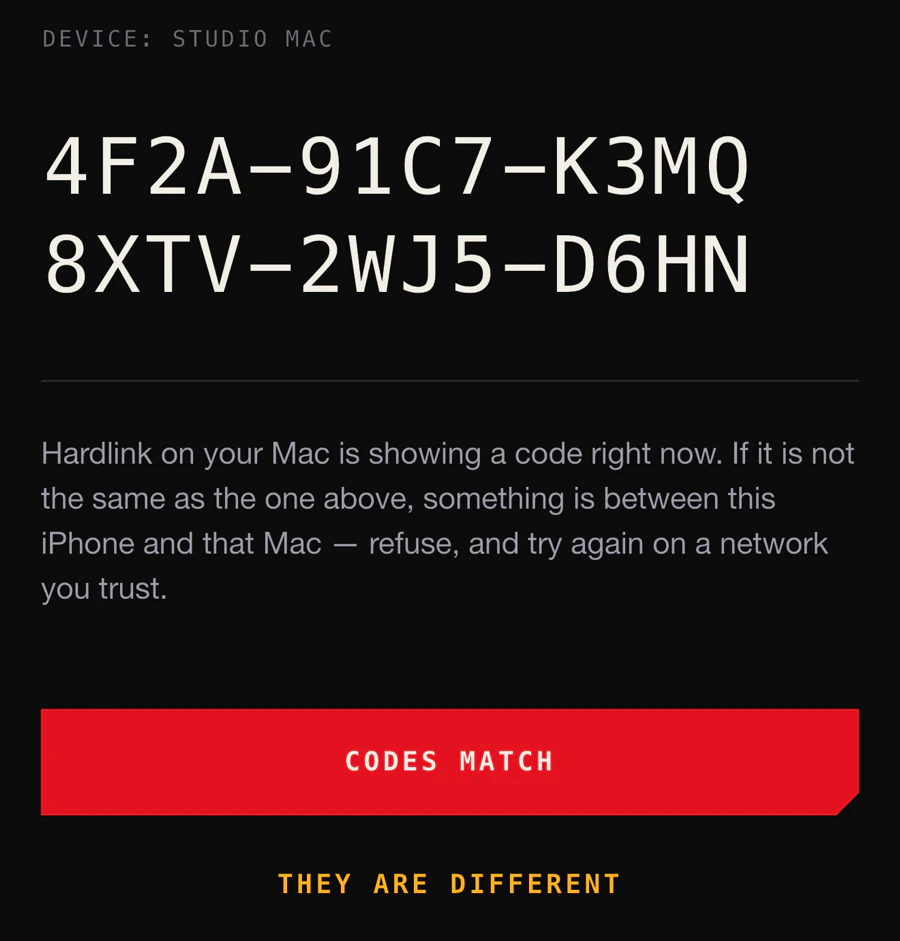
The code on the Mac, and the code on the phone
If they differ, something is in between.
The password is never sent
Your Mac keeps only a hash. The phone answers a challenge to prove it knows the password, instead of sending it.
Both ends have to prove it
Each side proves itself to the other, so a recorded handshake is useless against another pair of devices — or the same two tomorrow.
Everything is sealed twice
Every session mints its own throwaway keys, and your keystrokes and terminal get a second layer of encryption on top of WebRTC’s.
A password is not enough
A phone the Mac has never seen has to be approved at the Mac itself — name and fingerprint, by whoever is sitting there. You cannot pair one remotely.
The phone trusts one Mac
It remembers your Mac on the first connection and refuses any other afterwards, behind a full-screen warning that says Do not connect.
Download
Two installs · one link
The Mac host has an installer. It is not notarized yet — macOS will refuse it the first time and say it cannot check the app, so the download page carries the one-time step that gets past it. The Windows host still builds from the repository, and both phone clients are on their way to the App Store and Google Play. A build with no relay URL reaches the host on your own network only; going further needs the relay, which you put up yourself. Both apps ask you to sign in before the first connection.
Host
The machine on your desk
Available
macOS — available
macOS 13 or newer · Intel and Apple silicon
Screen, pointer, shells, files and the Mac's audio. Not notarized yet — the page has the one-time step to open it
DownloadAvailable
Windows — available
Windows 10 or newer
Screen, pointer, shells, files and the machine's audio
Build for Windows
Client
The phone in your hand
Coming soon
iPhone & iPad — coming soon
iOS and iPadOS 16 or newer
Coming to the App Store. Join the list and I will send the link the day it goes live
Get the linkComing soon
Android — coming soon
Android 7.0 or newer
Coming to Google Play. Join the list and I will send the link the day it goes live
Get the link
One payment, once
Founding lifetime · $59 · not yet on sale
Your screen and your keystrokes go straight between your own two devices, wherever the network allows it — and stay sealed end to end when it doesn’t. Nothing here recurs, so the price doesn’t either — the arithmetic is in [04], against what you use now.

Founding lifetime
$59
One payment · no subscription
The intended price, held for the first 500 people.
Nothing is charged on this site. This is the price the founding lifetime will be on the day it goes on sale — kept for the people who ask before then.
One line by email
What the $59 covers
- HostsmacOS · Windows
- ClientsiPhone · iPad · Android
- Screen and inputEvery display
- Login shellsSeveral, they survive
- Files and clipboardBoth ways
- System audioTo the phone
- NotificationsWhen a run stops
- The relayOurs, or your own
- Future updatesAll of them
- LinuxWhen it lands
Tell me where to send it
Say which platform you are waiting for and whether you want the founding price held. You get one message back when there is something to install, and nothing else, ever.